For teams running the whole operation
One platform to schedule your crew, run your projects, and know your margin.
CriticalFlow replaces the spreadsheet, the calendar and the finance export with one live model. See who's free, where everyone is booked and what it means for profit, without having to ask.
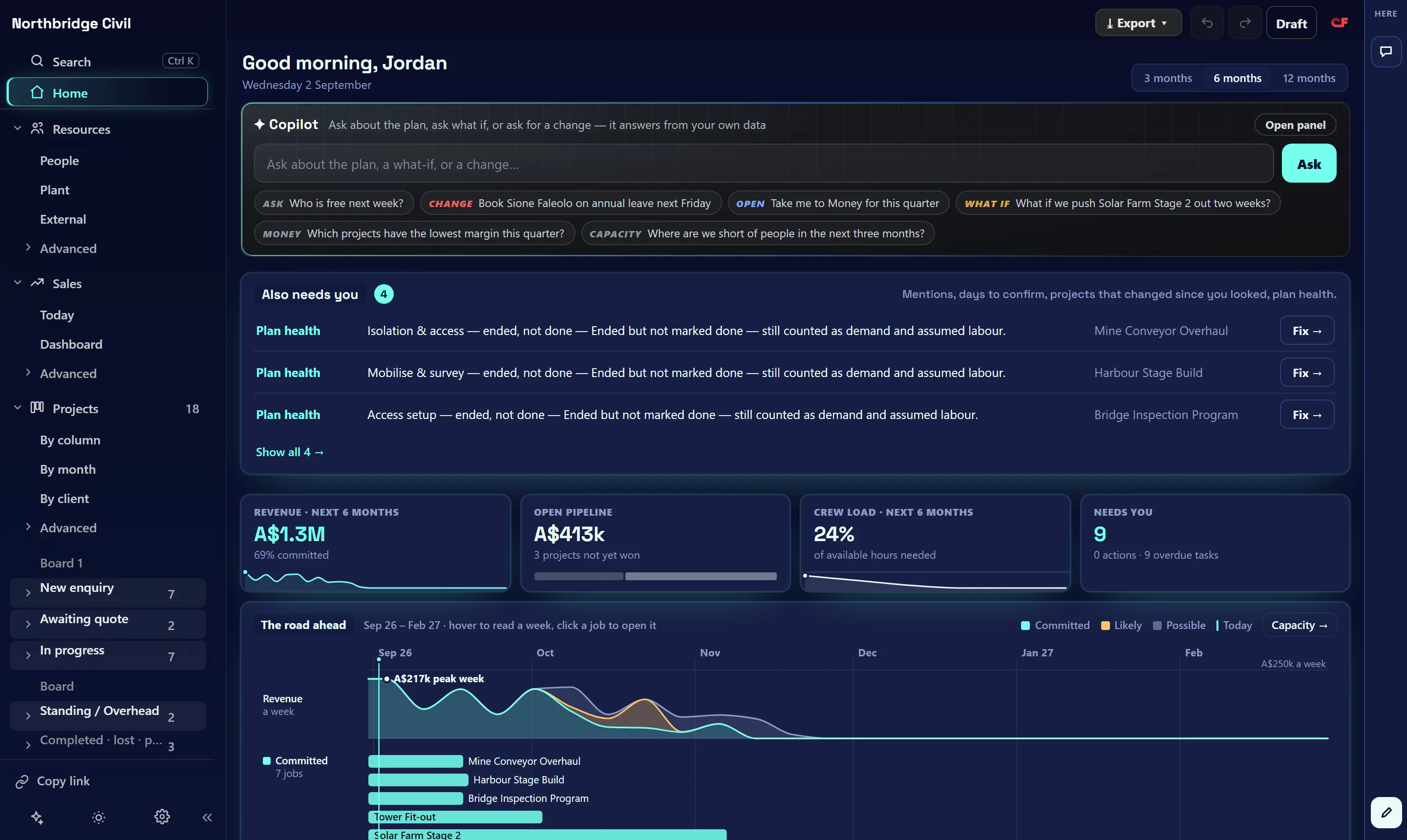
The product
The schedule, the board and the P&L share the same jobs and the same numbers.
These are real screens from a demo company. Yours will show your own crew, jobs and margin.


Why it's different
Everything runs off one live model.
Most teams keep strategy, people, plant, projects and profit in separate systems and reconcile them by hand. In CriticalFlow a headcount change flows straight into cost, a slipped job moves the forecast, and plant booked to a job shows in its margin the same day. Every view doubles as a report, and with one set of numbers from strategy to close-out there is nothing to export or reconcile.
Strategy your team can see
Set out who is responsible, accountable, consulted and informed once, and it stays attached to the org chart and the schedule as the work goes on.
Crew and plant on one schedule
Most tools schedule people or equipment, rarely both against the same job. Book a crew and a truck to the same task and any clash shows up before it costs you a day.
Quote to close-out on one record
Quote a job on real labour and plant costs, then run it and close it out on the same numbers. Nothing gets typed in twice.
One change updates every total
Move someone onto a job, extend a schedule or add a role, and every figure that depends on it updates straight away.
Built for how Australian businesses run
Depreciation, on-costs and payment terms are modelled the way an Australian business handles them.
Reports you don't rebuild
Every schedule, org chart and margin view is already a report. Export it when the board pack is due instead of rebuilding it each month.
Built for three roles
Everyone on the team works in the same file.
Nobody has to export numbers into another tool or reconcile two spreadsheets.
See whether a job still makes money while it runs.
- Tasks, crews and booked days on one timeline, with a warning when someone is double-booked.
- Plant booked to a job lands in its costs, with depreciation tracked alongside.
- Quote with labour, plant and margin in view, in the same place you'll run the job.
Know what a hire costs before you make it.
- Filled, vacant and planned roles on one org chart, with the cost of a raise or a new hire shown up front.
- Day-by-day availability and leave, plus a warning before anyone is sent out on an expired ticket.
- Drag someone onto a job and their cost follows them into every total.
Track the margin while the month is running.
- A rolling P&L built from the schedule and org data the rest of the team already works from.
- Freeze a budget baseline and track variance as actuals land, by project or by cost category.
Getting started
Start free, without a sales call.
Signing up gives you a private workspace, so you can judge the fit before talking to anyone.
Try it with your own numbers.
It's free to start, and you work in your own organisation from day one.
Pricing
Free for one person, one price per seat for a team.
Both plans include every feature. The only difference is how many people use the file.
- Your own private organisation
- Every feature: schedule, board, quotes, P&L and strategy
- No card needed and no trial period
- Everyone works in the same live file and sees edits as they happen
- Super Admin, Admin and Manager roles, plus read-only Viewers who don't use a seat
- Upgrade inside the app and manage invoices, seats and cancellation in your billing portal. No GST.